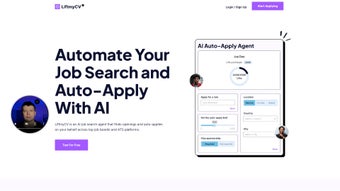

Download LiftmyCV – AI Job Search Assistant, Resume Builder, Free Tool
Overview
In today’s hyper‑competitive job market, the time you spend hunting for openings and tailoring each cover letter can be the difference between landing an interview and watching opportunities slip by. LiftmyCV answers that challenge with a sleek, web‑based AI writing assistant that automates the entire job‑search workflow. By simply feeding the platform your professional details, career goals, and preferred locations, the AI engine scours thousands of listings, matches you with the most relevant roles, and even submits customized applications on your behalf.
The service is offered completely free, making it an attractive option for recent graduates, career changers, and seasoned professionals alike who want to streamline their search without compromising quality. What sets LiftmyCV apart is its dual focus on relevance and personalization: the AI doesn’t just copy‑paste a generic résumé; it dynamically rewrites each section to echo the specific language of the job description, thereby boosting the likelihood of passing applicant‑tracking systems (ATS). Moreover, the interface is designed for ease of use—no coding, no steep learning curves, just a clean dashboard that tracks your applications in real time.
Whether you’re searching for full‑time roles, contract work, or remote positions, LiftmyCV promises a faster, smarter, and more secure route to the interview stage.
Key Features & How It Works
- AI‑Powered Job Matching: Real‑time analysis of millions of listings across major job boards to surface opportunities that align with your skill set and preferences.
- Automated Application Drafting: Generates a custom cover letter and résumé snippet for each posting, mirroring the language and keywords used by the employer.
- One‑Click Submission: After a brief review, the platform sends your application directly to the employer, eliminating manual data entry.
- Application Tracker Dashboard: Visual timeline of sent applications, pending responses, and interview invitations.
- Secure Data Handling: End‑to‑end encryption ensures your personal information and résumé files remain private.
- Free Access with Optional Premium Add‑Ons: Core functionality is free; premium modules (e.g., interview coaching, advanced analytics) are available for a modest fee.
- Multi‑Platform Sync: Connects with LinkedIn, Indeed, and other professional profiles to import data automatically.
The workflow begins when you create an account and fill out a concise profile questionnaire. LiftmyCV’s AI parses your input, extracts key competencies, and stores them in a secure profile. Next, you define search parameters—industry, location, salary range, remote‑work preference, etc.
The engine continuously crawls partner job boards and uses natural‑language processing (NLP) to rank each opening based on fit. When a match exceeds a confidence threshold, the system drafts a tailored application package. You receive a notification, review the generated content, and, with a single click, launch the submission.
The entire loop—from discovery to delivery—typically takes under two minutes per job, freeing you to focus on interview preparation and networking.
Installation, Setup & Compatibility
Getting Started (No Download Required)
LiftmyCV is a cloud‑native solution, meaning there is no traditional software to download or install on your device. Simply visit liftmycv.com, click “Sign Up,” and choose the free tier. The registration process requires an email address and a strong password; two‑factor authentication (2FA) is optional but recommended for added security. Once your account is active, you’ll be guided through a step‑by‑step onboarding wizard that captures your résumé, work history, and job‑search preferences.
Browser Compatibility (Operating Systems)
Because LiftmyCV runs entirely in the browser, it is compatible with any modern operating system that supports up‑to‑date browsers. This includes:
- Windows 10, 11
- macOS Ventura, Monterey
- Linux distributions with recent Chromium or Firefox builds
- Chrome OS
Step‑by‑Step Usage Guide
- Create your profile: Upload your existing résumé (PDF, DOCX, or plain text) and let the AI extract key data.
- Set search criteria: Choose industries, job titles, locations, remote options, and salary expectations.
- Review AI suggestions: The platform will list matching jobs with a confidence score and a preview of the tailored application.
- Customize (optional): Edit any part of the generated cover letter or résumé snippet if you prefer a personal touch.
- Submit with one click: Click “Apply Now” and LiftmyCV sends your application through the employer’s portal or email.
- Track progress: Monitor status updates—sent, viewed, interview invited—directly from your dashboard.
Updates to the AI model are rolled out automatically on the server side, so you always benefit from the latest improvements without needing to patch anything locally. If you encounter any issues, the Help Center offers a searchable knowledge base and live chat support during business hours.
Pros, Cons & Frequently Asked Questions
Pros
- Completely free core functionality, lowering the barrier for job seekers.
- AI‑driven personalization improves ATS compatibility and interview rates.
- One‑click application eliminates repetitive data entry.
- Secure, encrypted handling of personal data.
- Cross‑platform accessibility via any modern browser.
Cons
- Reliance on internet connectivity; offline use is not possible.
- Premium features (e.g., interview coaching) require a subscription.
- Some niche job boards may not be fully integrated.
- AI suggestions sometimes need minor human polishing for tone.
- Limited customization for highly specialized résumé formats.
Frequently Asked Questions
Is LiftmyCV really free?
Yes, the core job‑matching and application automation features are completely free. Optional premium modules—such as advanced analytics or interview coaching—are offered on a subscription basis.
How does LiftmyCV protect my personal data?
All data is transmitted over HTTPS and stored using AES‑256 encryption. Two‑factor authentication is available to further safeguard your account.
Can I use LiftmyCV on my mobile device?
Yes. The platform is responsive and works on Android 9+ and iOS 14+ browsers, though the full dashboard experience is optimized for desktop screens.
What happens if an employer’s portal blocks automated submissions?
LiftmyCV detects such restrictions and prompts you to submit manually, providing a pre‑filled application that you can review and send with a single click.
How often is the AI model updated?
Updates are rolled out weekly on the server side, ensuring you always benefit from the latest language models and job‑board integrations without any action required on your part.
LiftmyCV delivers a compelling mix of AI‑driven efficiency and user‑friendly design. While it isn’t a silver bullet, the platform significantly cuts the time spent on repetitive applications and improves the relevance of each submission. For anyone serious about accelerating their job hunt without spending a fortune, LiftmyCV is a valuable addition to the modern job‑search toolkit.
Conclusion & Call to Action
In an era where the average hiring manager sifts through hundreds of applications per opening, standing out quickly is essential. LiftmyCV equips job seekers with an AI‑powered ally that not only discovers the most relevant opportunities but also crafts customized, ATS‑friendly submissions at scale. Its free tier makes it accessible to anyone, while the secure, browser‑based design ensures you can work from any device without the hassle of installations or updates. If you’re ready to reclaim hours of manual work and boost your interview odds, head over to LiftmyCV.com, create your free account, and let the AI take the heavy lifting out of your job search today.



.png)



